Stop Scrolling the Build Catalog — There's a Better Way
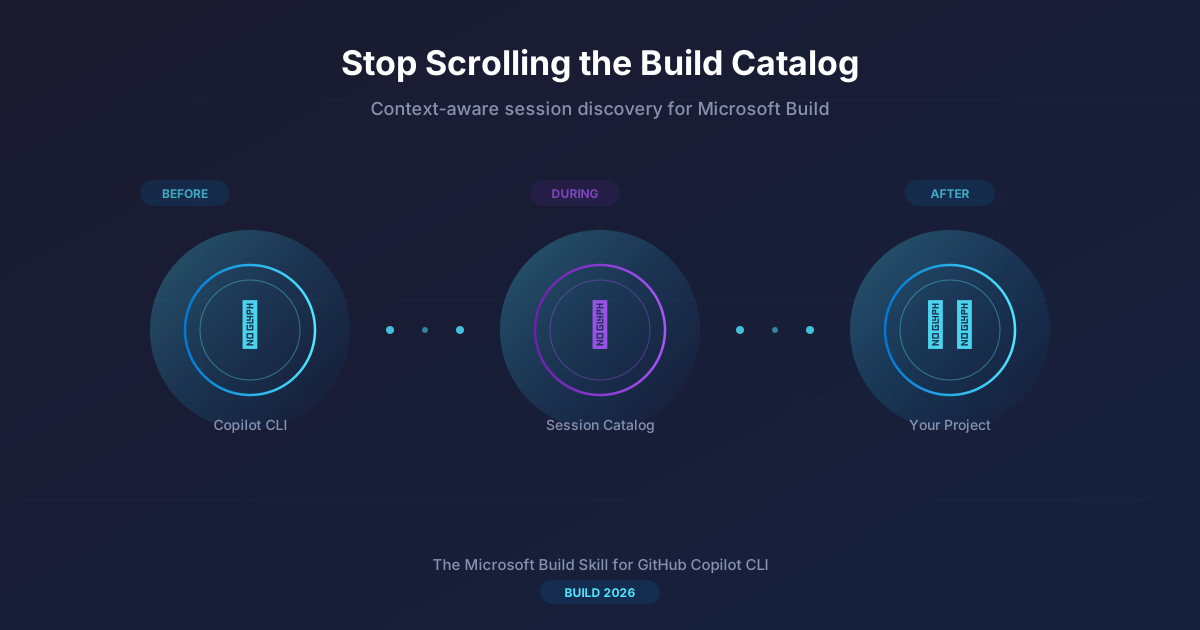
Build 2026 has hundreds of sessions. Good luck finding the five that actually matter to you.
That's the problem, right? You open the session catalog, you type a keyword, you get 40 results. You start reading abstracts. You open tabs. You lose track. You end up bookmarking sessions you'll never watch because by the time you get home, you've forgotten why you saved them.
I've been using a skill in GitHub Copilot CLI that completely changes this. It's called the Microsoft Build skill, and it connects your terminal to the live session catalog — but with intelligence. It knows your tech stack, it understands context, and it works before, during, and after the conference.
Let me show you what that looks like in practice.
What is it?
The Microsoft Build skill is an MCP-based skill for GitHub Copilot CLI that gives you direct access to the session catalogs of Microsoft flagship events — Build 2026, Build 2025, and Ignite 2025.
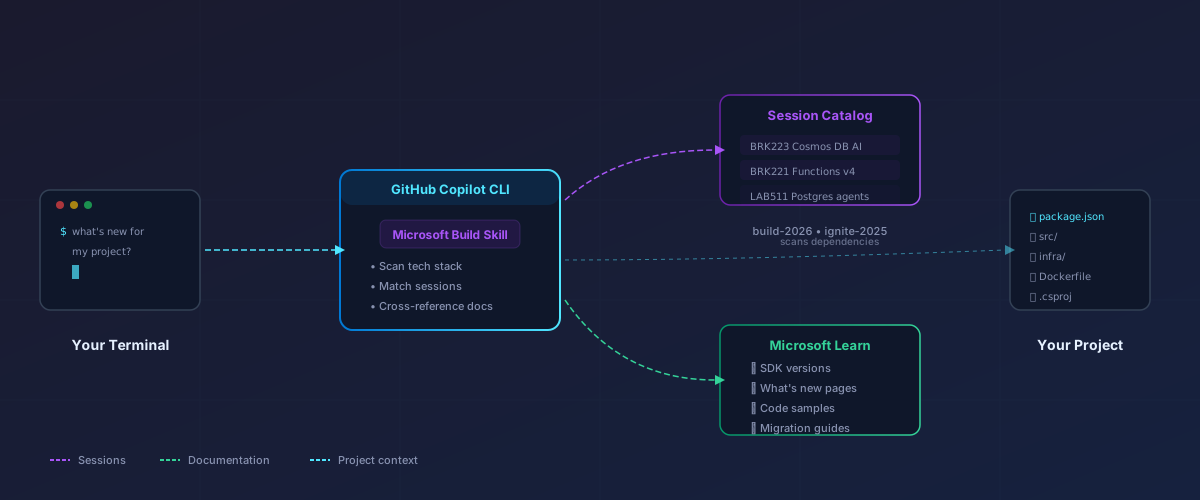
But it's not just a search tool. It combines the session catalog with the Microsoft Learn MCP Server (live documentation, SDK references, code samples) and your project context to give you recommendations that are actually relevant to what you're building.
Think of it as having a conference buddy who has read every session abstract, knows your codebase, and can tell you: "This session covers exactly the API you're using in your project, and there's a breaking change coming."
Before the conference: find what matters
"What's new for my project?"
This is the killer feature. You're in your project directory, and you ask:
1what's new for my project at Build?
The skill scans your repo — package.json, requirements.txt, .csproj, Dockerfile, whatever you have — extracts your tech stack, and then:
- Fetches the latest announcements from Build
- Searches for sessions matching your specific dependencies
- Cross-references with Microsoft Learn for documentation updates
The output isn't generic. It tells you specifically what changed for your stack:
 1## What's New at Build for Your Stack
 2
 3Scanning: package.json, tsconfig.json, infra/main.bicep
 4Stack: Node 20, TypeScript, Azure Functions v4, Cosmos DB, Azure Container Apps
 5
 6### @azure/cosmos
 7- New vector search API — directly relevant to your /api/search endpoint
 8- Session: BRK223 — "Designing databases for AI apps and agents"
 9- Confidence: High (matched on product + programming language)
10
11### @azure/functions
12- Durable Functions v3 with streaming support
13- Your queue trigger in /api/process.ts can now stream responses
14- Session: BRK221 — Confidence: High
15
16### Azure Container Apps
17- New GPU workload support + dynamic sessions
18- Session: BRK198 — Confidence: Medium
No scrolling through 400 sessions. No guessing which "AI" session is about your kind of AI. Concrete matches tied to your actual dependencies.
Build a schedule
Once you know which sessions matter, you can ask it to help plan your days:
1help me build my schedule for Build
It suggests sessions grouped by relevance, flags time conflicts, and orders them in a learning path: foundational concepts first, then deeper dives, ending with hands-on labs where you apply what you learned.
You can export the whole thing as a markdown file to carry with you.
During the conference: stay oriented
Quick session lookups
You're standing in the hallway between sessions. Someone mentions "BRK241" as a must-see. You want to know if it's worth changing your plan:
1tell me about BRK241
Instant: title, speakers, abstract, time, room, level, and whether it connects to anything in your stack.
Find sessions by topic on the fly
Plans change. A keynote demo gets you excited about something you hadn't considered. Right there from your terminal:
1find me sessions about Microsoft Foundry
You get a filtered, ranked list. No fighting with the event app's search UI.
Log takeaways
You're in a session and you hear something important. Rather than opening a notes app:
1log a note from BRK223: the new vector search API supports
2hybrid queries with both keyword and semantic — need to
3refactor our search endpoint to use this instead of the
4workaround we built
It creates a timestamped journal entry enriched with session metadata. When you get home, you have a structured record of what you learned and what to act on.
After the conference: keep the momentum
This is where most conference value is lost. You get home, the week hits you, and those notes go stale. The skill helps here too.
"What should I do after session [ID]?"
1what should I do after BRK223?
It gives you:
- Related sessions to watch on-demand (the lab that goes with the breakout you attended)
- Quickstarts and tutorials from Microsoft Learn for the technologies covered
- Specific next steps tied to what was demonstrated
Scaffold a project
If a session demo inspired you to try something:
1scaffold from BRK223
It creates a starter project with the correct SDK versions (verified against current docs, not slides that may be outdated), a README linking back to the session, and setup instructions.
Why this beats the catalog website
The session catalog on the Build website works. But:
| Website catalog | Build skill | |
|---|---|---|
| Search | Keyword only | Understands your tech stack |
| Context | None — you browse cold | Knows your project dependencies |
| Cross-reference | Manual tab-switching | Automatically links sessions to docs |
| During event | Phone app UI | Terminal command, instant answer |
| After event | Bookmarks you forget | Actionable next steps + scaffolding |
| Multi-event | One event at a time | Build 2026 + 2025 + Ignite 2025 |
The real difference is context. The website shows you everything. The skill shows you what matters to you.
Getting started
Here's how to get up and running:
Prerequisites
- GitHub Copilot CLI — you need the CLI agent installed and authenticated. If you don't have it yet, check the official documentation to get set up.
- Node.js — the skill uses
npxunder the hood to run the events CLI, so you'll need Node.js installed (v18+). - A GitHub Copilot subscription — individual, business, or enterprise all work.
Install the skill
The Microsoft Build skill is available as a Copilot CLI skill. You can install it with:
1copilot skill install microsoft/Build-CLI
Once installed, it activates automatically whenever you ask about Build, Ignite, sessions, or what's new for your stack.
Try it out
Open your terminal in any project directory and try:
 1# Find sessions relevant to your project
 2"what's new for my project at Build?"
 3
 4# Search by technology
 5"find Build sessions about Azure Container Apps"
 6
 7# Look up a specific session
 8"tell me about BRK155"
 9
10# After attending a session
11"what should I do after LAB329?"
The first time you search, it fetches and caches the session catalog locally — subsequent queries are fast.
Supported events
The skill supports multiple event catalogs:
- Build 2026 (default) — June 2-3, San Francisco
- Build 2025 — Seattle
- Ignite 2025 — Chicago
Just mention the event by name and the skill scopes to the right catalog.
The bigger picture
This is part of a pattern I keep seeing with Copilot CLI skills: bring the context to where you already are. Instead of switching to a website, an app, or a different tool, you ask a question in your terminal and get an answer that's aware of your project, your stack, and your goals.
For conferences, this means less time scrolling catalogs and more time actually preparing, learning, and building. Whether you're planning your schedule a week before, navigating sessions on the ground, or following up a month later — the same tool adapts to where you are in that journey.
Build 2026 is June 2-3. Your session catalog is already live. Give it a try.
The Microsoft Build skill is available in GitHub Copilot CLI. It uses the live session catalog and Microsoft Learn documentation — no static data, always current.